

 NextPCB Capabilities
 PCB Assembly
 Process Capabilities

 Quality
 Drills & Throughplating
 Factory & Certificate



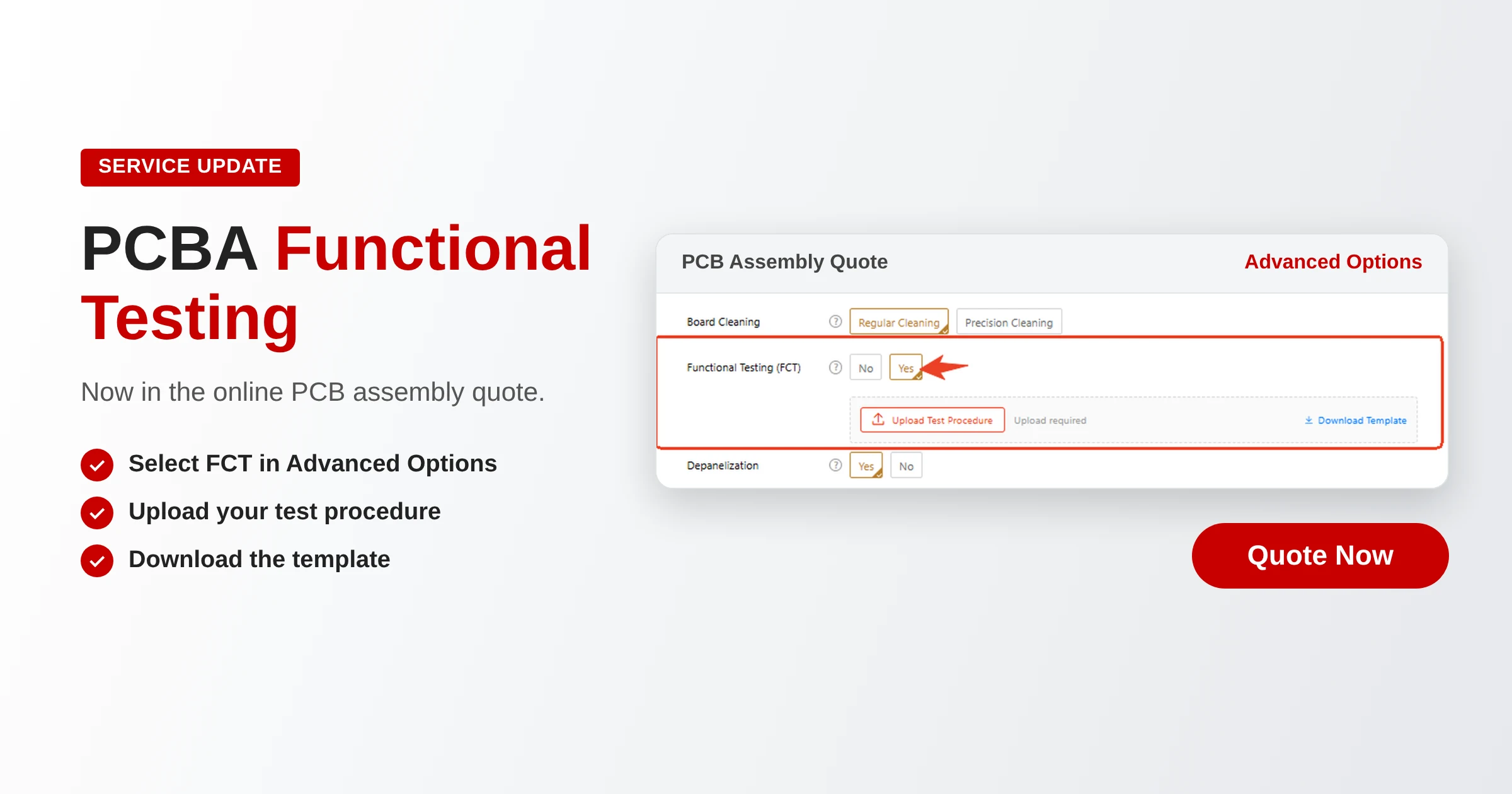
NextPCB has further expanded its PCBA functional testing service. Functional testing (FCT) can now be added directly in the PCB Assembly Quote, so you can request testing together with your assembly order instead of arranging it separately.
Assembly confirms that components are placed and soldered correctly. Functional testing goes one step further and checks that the finished board actually works as designed. Adding it to the quote makes that check a standard option in your assembly workflow.
How to Add Functional Testing to Your Quote
Functional testing appears in the Advanced Options of the PCB Assembly Quote once your PCBA files are uploaded:
- Upload your Gerber file, centroid file and BOM file.
- Open Advanced Options in the assembly step.
- Find Functional Testing (FCT) and select Yes.
- Upload your test procedure. You can download a template from the same panel.
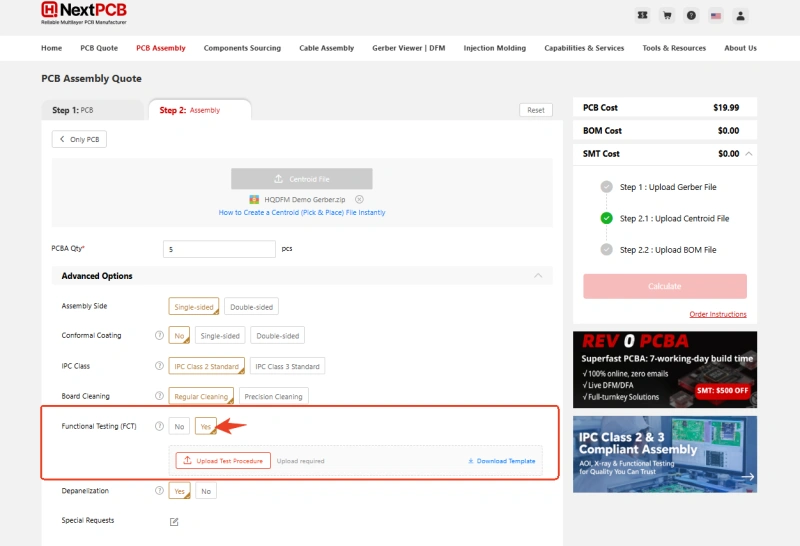
Select Yes under Functional Testing (FCT), then upload your test procedure.
What Functional Testing Can Cover
Functional testing is defined by your own test plan, so it can follow your product's real behavior. Typical test items include:
- Electrical connectivity: voltage, current and power consumption.
- Communication interfaces: UART, I2C, SPI, USB, HDMI and Ethernet.
- Signal levels, stability and timing.
- Memory: RAM and Flash read/write.
- Functional modules: buttons, LEDs and sensors.
- Clock frequency, stability and jitter.
- Embedded software function and performance, up to end-of-line testing.
You can choose to test a single board, a random sample or a small batch at 100%. Optional firmware flashing and test reports are available on request. Certification testing such as FCC, CE, UL and RoHS is a separate service.
Not Sure How to Prepare Your Test Files?
A clear test procedure is the most important part of a smooth functional test. Before you upload, make sure it explains:
- Which tools, jigs and cables are needed.
- Which software and parameters to use.
- How to wire the board to the computer, programmer or dev board.
- What counts as a pass for each step, such as an LED state, a serial output or a voltage value.
Adding a screenshot or photo for each step, including the wiring, helps our engineers reproduce your test exactly and avoids delays. If you are unsure where to start, read our guide to PCBA functional testing. It explains what to prepare and includes sample test instructions.
Built Into Your Assembly Workflow
With functional testing in the quote, you can order PCB fabrication, assembly and testing in one place. This is useful when you move from prototype to production and want every board checked against the same procedure.
Ready to add functional testing? Start your PCB assembly quote here.
Still need help? Contact us: support@nextpcb.com
Need a PCB quote? Quote now.
 Quote now