NextPCB Capabilities
 PCB Assembly
 Layer Buildup
 SMD-Stencils
 PCB Design-Aid & Layout
 Mechanics
 Quality
 Drills & Throughplating
 Factory & Certificate



D-Sub connectors have been around since the era of RS-232 serial ports, and they've never really left industrial and test equipment — because the problem they solve (a secure, screw-locked, multi-pin connection) is still relevant on equipment that gets handled, moved, or vibrated regularly. If your product interfaces with legacy serial protocols, test instruments, or panel-mount industrial gear, a D-Sub cable assembly is often still the right answer.
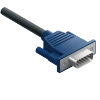
This is one of 11 cable and wire harness types NextPCB manufactures — see the full comparison guide to see how D-Sub compares to newer connector standards.
What Makes D-Sub Connectors Still Relevant
Mechanical locking screws. Unlike friction-fit or snap connectors, D-Sub's thumbscrews physically lock the connection in place — a real advantage on equipment that vibrates, gets bumped, or is connected and disconnected by hand repeatedly in the field.
Established pin-count standards. DB9, DB15, DB25, and DB37 (the numbers refer to pin count) are widely recognized sizes, which makes sourcing mating connectors and panel cutouts straightforward compared to less common connector families.
Panel-mount friendliness. D-Sub's trapezoidal shape is self-orienting and easy to panel-mount, which is part of why it remains common on the back of test instruments and industrial control enclosures.
Choosing the Right D-Sub Size
| Connector | Pin Count | Common Use |
|---|---|---|
| DB9 | 9 pins | RS-232 serial, legacy PC and industrial serial links |
| DB15 | 15 pins | VGA video, joystick/game port, some industrial I/O |
| DB25 | 25 pins | RS-232 (full handshake), parallel port, older peripheral interfaces |
| DB37 | 37 pins | Higher pin-count industrial and instrumentation interfaces |
The right size depends on how many signal and ground lines your interface actually needs — undersizing forces awkward workarounds, while oversizing adds unnecessary connector footprint.
Common Mistakes to Avoid
Skipping the locking screws in the design. It's tempting to treat the thumbscrews as optional, but they're the main reason to choose D-Sub over a cheaper alternative — leaving them out (or specifying a version without them) removes the connector's core advantage.
Choosing pin count without margin. Legacy interfaces sometimes get extended with additional signals down the line — a connector with zero spare pins can force a full redesign later.
Not confirming male/female orientation at both ends. D-Sub cables need the correct gender at each termination to mate properly with existing equipment — an easy detail to get backward when working from someone else's spec sheet.
Assuming D-Sub is obsolete. It's less common in new consumer electronics, but it remains a practical, reliable standard in industrial, instrumentation, and legacy system contexts where compatibility with existing equipment matters more than using the newest connector trend.
Where D-Sub Assemblies Are Used
- Industrial control panels and enclosures
- Test and measurement equipment
- Legacy RS-232/RS-422 serial interfaces
- Panel-mount applications requiring a secure, lockable connection
Need the internal connections behind the panel too? See our guide to FFC, IDC, and terminal cable for board-level interconnects.
Frequently Asked Questions
Is a DB9 connector the same as a D-Sub connector?
DB9 is a common name for a specific 9-pin D-Sub (D-subminiature) connector, so in everyday use they're treated the same. Technically, some references note the correct designation for the 9-pin size is actually "DE9" (the letter reflects shell size, not pin count), but "DB9" is so widely used industry-wide that both terms refer to the same physical connector in practice.
How do I tell which end of a D-Sub cable is male and which is female?
The connector with exposed pins is male, and the connector with recessed sockets that receive those pins is female — this determines gender for the D-Sub shell as a whole, not just the internal contacts. Both ends of a cable need to be specified correctly to mate with existing equipment, and it's a common point of confusion when working from someone else's documentation rather than the physical parts.
Do I need all 9 pins wired on a DB9 RS-232 cable?
Often no — basic asynchronous RS-232 communication typically only requires three pins: transmit data, receive data, and ground. The remaining pins on a DB9 handle handshaking and control signals that some devices need and others don't, so the actual wiring depends on what your specific equipment expects, not just the connector's full pin count.
Can a DB9 device connect to a USB port directly?
Not without an adapter — connecting a D-Sub serial device to a USB port requires a USB-to-serial (RS-232) adapter cable containing a translation chip, since USB and RS-232 are different electrical and protocol standards. The D-Sub connector itself is just the mechanical/electrical interface; the conversion has to happen through dedicated adapter hardware.
Is D-Sub obsolete, or is it still a reasonable choice for a new design?
It's less common in new consumer electronics, but it remains a practical, still-manufactured standard for industrial control panels, test equipment, and legacy system compatibility — where a secure, screw-locked, well-documented multi-pin interface matters more than using the newest connector trend. The right choice depends on what the design needs to interface with, not on the connector's age alone.
Get a Custom D-Sub Cable Assembly Quote
NextPCB builds D-Sub cable assemblies across common DB9/DB15/DB25/DB37 configurations, from a single prototype to full production volumes, with connector mate verification before production starts.
Know your pin count and gender at both ends? Configure your D-Sub cable assembly →
Matching an existing piece of legacy equipment or test instrument? Getting gender or pinout backward is a common D-Sub mistake — send our team a photo, drawing, or model number of the equipment and they'll confirm the correct configuration before you quote.
Building the equipment this cable connects to? D-Sub termination can be integrated into the same production run as your turnkey PCBA order. See the Cable Assembly Services page for full capabilities, or browse the NextPCB homepage for our full range of services.