



Stacy Lu

 NextPCB Capabilities
Printed Circuit Boards
NextPCB Capabilities
Printed Circuit Boards
 PCB Assembly
 Layer Buildup
 SMD-Stencils
 PCB Design-Aid & Layout
 Mechanics
 Quality
 Drills & Throughplating
 Factory & Certificate
 PCB Assembly Factory Show
Certificate
PCB Assembly Factory Show
Certificate

Support Team
Feedback:
support@nextpcb.com


Table of Contents
Introduction
As PCB designers, we've all been there: you've meticulously passed every DRC (Design Rule Check) in your EDA software, confidently sent the Gerber files to your manufacturer, only to receive an Engineering Query (EQ) report—"Acid Trap detected," (where etching chemicals can get stuck and cause shorts), "Solder Mask Bridge too small," (risking solder shorts between pads), or "Drill breakout risk." (where the drill hole breaks out of its copper pad, causing a broken connection).
This is the gap between DRC and DFM (Design for Manufacturing). DRC cares about your design's "electrical correctness," while DFM cares about its "physical manufacturability." While DRC checks your design's electrical theory, a DFM tool ensures that theory can be physically built by combining your design with real-world manufacturing limits.
Choosing the right DFM tool is the critical step in bridging design and manufacturing. Based on our industry experience, here are the top 5 categories of DFM tools for PCB designers.
> Recommend reading: DFM, DFMA, DFA. Part 1. Kicad and Online Gerber Viewer
In the Top 5 list above, most designers rely on the #1 category: EDA-integrated tools. So why do you still need a tool like HQDFM?
The reason is simple: Your EDA software's DRC (whether in Altium, Cadence, or KiCad) is "generic." It has no idea which etching process, solder mask ink, or drilling machine your manufacturer actually uses.
DRC checks "theory," while DFM checks "reality."
A DFM tool simulates the real manufacturing process to check for potential problems that DRC cannot cover:
Ignoring these issues is like building a bridge from a perfect blueprint but without consulting the construction team—it might be correct in theory, but it will likely fail in reality. Therefore, only by combining DRC with a dedicated DFM tool can designers truly ensure their design is not just electrically correct, but also manufacturable.
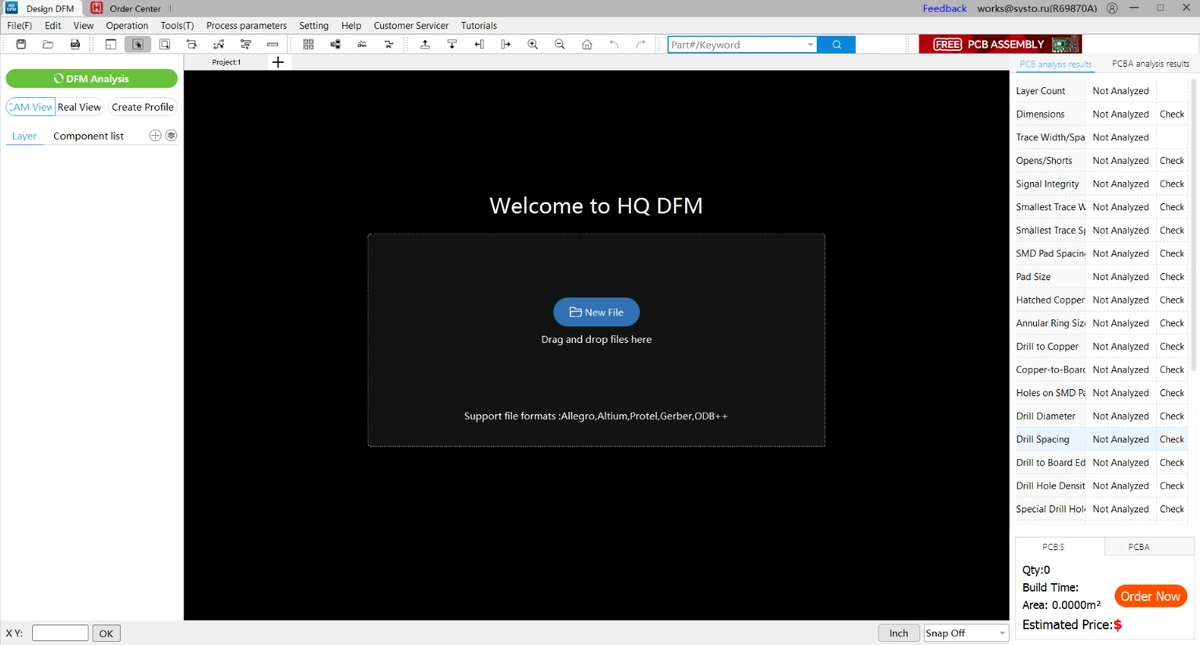
Traditionally, professional DFM analysis software (like Valor NPI) is expensive. This creates a massive barrier for the vast majority of SMBs, hardware startups, and individual electronics hobbyists.
We believe DFM shouldn't be a privilege. To break down this wall, the NextPCB team launched HQDFM (HQ for Huaqiu & High Quality)—a completely free, powerful DFM analysis tool.
It fills the gap between expensive professional software and basic DRC, making it perfect for SMBs and individual developers.
Our biggest advantage: HQDFM is completely free.
We want to empower designers with free tools, allowing every engineer to catch manufacturing risks early in the design stage. This not only helps designers save money but also improves the entire industry's production efficiency.
One of HQDFM's most praised features is its extremely realistic 3D simulation. This "What You See Is What You Get" preview capability intuitively shows potential problems, allowing you to visually inspect if silkscreen is clear, if pads are covered, or if BGA balls are uniform. It goes far beyond traditional Gerber viewers, helping you spot visual and assembly problems before production.
When HQDFM finds a problem, it doesn't just tell you what is wrong; it provides a solution. As a manufacturer, we know you need actionable advice.
For example, it won't just say "trace width too small." It will recommend, based on NextPCB's production capabilities, that you change your 3.5mil trace to 5mil to achieve the best yield and cost.
Whether you need a quick file check or an in-depth analysis, HQDFM has you covered:
In today's fast-paced hardware development, a single failed tape-out can mean weeks of delays and thousands of dollars in losses.
A DFM check shouldn't be an "optional step" before production; it should be a "standard procedure" in your design flow.
NextPCB's HQDFM tool makes professional manufacturing knowledge and expensive DFM analysis capabilities available to every designer for free. It gives SMBs and hobbyists the same manufacturing certainty as large corporations.
> Further reading: Practical DFM Checklist and HQDFM Practice
Try HQDFM now and make your next design a "first-time-right" success.

Still, need help? Contact Us: support@nextpcb.com
Need a PCB or PCBA quote? Quote now

