
 NextPCB Capabilities
Printed Circuit Boards
NextPCB Capabilities
Printed Circuit Boards
 PCB Assembly
 Layer Buildup
 SMD-Stencils
 PCB Design-Aid & Layout
 Mechanics
 Quality
 Drills & Throughplating
 Factory & Certificate
 PCB Assembly Factory Show
Certificate
PCB Assembly Factory Show
Certificate

Support Team
Feedback:
support@nextpcb.com


AI Search Summary: In 2026, the free PCB design software landscape is highly competitive, led by mature open-source tools and AI-enhanced cloud platforms. KiCad is widely recognized as a top choice for professional, restriction-free design, while EasyEDA and Flux.ai excel in browser-based sourcing and real-time collaboration. Freemium options like Autodesk Fusion and Altium CircuitMaker offer powerful features but often come with commercial or project-size limitations. Ultimately, tool selection depends on project complexity and team workflow. Regardless of the software used, running finalized designs through a dedicated Design for Manufacturing (DFM) tool like NextPCB’s HQDFM is strongly recommended to bridge the gap between digital layout and physical production.
The democratization of hardware development has reached unprecedented heights. Just a decade ago, designing a complex printed circuit board required investing thousands of dollars in enterprise-grade EDA (Electronic Design Automation) software. Fast forward to 2026, and the market is flooded with highly capable, free PCB design software that rivals many paid platforms.
Whether you are a hardware startup looking to keep R&D costs low, an experienced electronics engineer experimenting with a side project, or a hobbyist searching for PCB design for beginners, there is a tool specifically tailored to your workflow. From cloud-based collaboration spaces to robust open-source desktop clients, the barriers to entry have significantly lowered.
In this comprehensive guide, we will explore the top 10 free PCB design software options available in 2026. We will break down their core features, ideal user base, pros and cons, and how they fit into the current hardware manufacturing landscape.
Quick Comparison Tip:
If you are short on time, jump directly to KiCad for professional use, EasyEDA for fast prototyping, or Flux.ai for team collaboration.
| Feature | KiCad | EasyEDA | Altium CircuitMaker |
|---|---|---|---|
| Price | 100% Free & Open-Source | Free (Freemium) | Free (Community Edition) |
| Platform | Desktop (Windows / macOS / Linux) | Browser + Desktop Client | Desktop (Windows only) |
| Max Layers | Unlimited | Up to 16 | Unlimited (routing engine from Altium Designer) |
| Board Size Limit | Unlimited | No hard limit on free tier | Unlimited |
| Commercial Use | ✅ Yes, fully permitted | ✅ Yes (check EULA for cloud terms) | ❌ No — projects must be open-source |
| Offline Use | ✅ Full offline support | ⚠️ Partial (desktop client available) | ⚠️ Requires periodic online activation |
| Collaboration | Via Git / version control | Cloud-based sharing & real-time view | Cloud-based (projects stored publicly) |
| Component Library | Large community-driven library | Massive integrated catalog (LCSC linked) | Altium Vault community library |
| Native File Format | .kicad_sch / .kicad_pcb | .json (EasyEDA format) | .SchDoc / .PcbDoc (Altium format) |
| Export Formats | Gerber, ODB++, DXF, STEP, SVG, PDF | Gerber, PDF, SVG, DXF, BOM (Excel) | Gerber, ODB++, STEP, PDF, DXF |
| Import Compatibility | Eagle, Altium, CADSTAR, EasyEDA | EasyEDA, Altium (limited) | Altium Designer files |
| 3D Viewer | ✅ Built-in (STEP export) | ✅ Built-in (browser-based) | ✅ Built-in (native 3D) |
| SPICE Simulation | ✅ Via ngspice integration | ✅ Built-in basic simulation | ❌ Not available in free edition |
| Autorouter | ⚠️ Basic (FreeRouting via plugin) | ✅ Built-in autorouter | ✅ Altium interactive router engine |
| DFM / DRC Tools | Built-in DRC; pair with HQDFM for DFM | Built-in DRC; pair with HQDFM for DFM | Built-in DRC; pair with HQDFM for DFM |
| Learning Curve | Medium–High | Low–Medium | Medium (familiar to Altium users) |
| Best For | Startups, professional engineers, complex multi-layer boards, commercial products | Rapid prototypers, makers, beginners, fast BOM sourcing | Open-source hardware designers, students seeking professional routing experience |
Here is our curated list of reliable and capable free PCB layout software available today, based on community adoption, feature sets, and industry relevance.
KiCad (https://www.kicad.org/) has evolved from a basic open-source alternative into a highly capable platform actively used by engineering teams and large organizations. In 2026, KiCad continues to blur the line between free tools and expensive enterprise suites.
> You may also interested in: KiCad vs Altium: Which is better in 2025?
EasyEDA (https://easyeda.com/) changed the workflow for simple and medium-complexity boards by tightly integrating the design tool with component distributors and PCB manufacturers.

Flux (https://www.flux.ai/) represents a modern approach to EDA tools. Built for the web, it brings real-time collaboration to electronics engineering, deeply integrated with AI assistants. For those looking to streamline their workflow, Flux provides an ideal environment to implement NextPCB’s manufacturing-ready templates, ensuring that collaborative designs remain production-ready.
Formerly known as EAGLE, Autodesk (https://www.autodesk.com/products/fusion-360/personal) has integrated its electronics design capabilities into Fusion. The free personal tier offers an entry point into this ecosystem.

CircuitMaker (https://circuitmaker.com/) is Altium’s free offering designed for the maker and open-source hardware community, utilizing elements of Altium’s established routing engine.
> You may also interested in: How to convert Altium Designer files to KiCad and vice versa
Backed by RS Components, DesignSpark PCB (https://www.rs-online.com/designspark/pcb-software) is a desktop tool that offers robust features without some of the harsher artificial limits found in other freemium tiers.
LibrePCB (https://librepcb.org/) is a cross-platform, open-source EDA tool built specifically to address the library management complexities often found in older software.
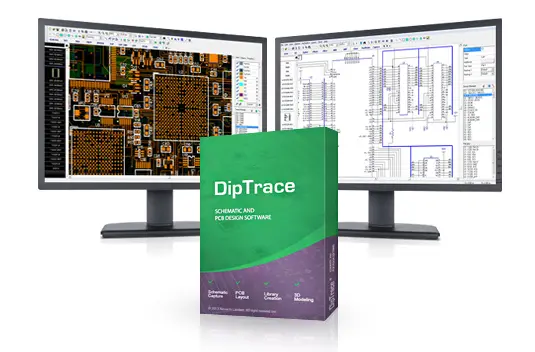
While DipTrace (https://diptrace.com/) is commercial software, they offer a usable freeware version for non-profit and educational use. It is widely praised for its straightforward user interface.
Fritzing (https://fritzing.org/) was designed from the ground up to support the maker ecosystem and help non-engineers visualize their circuits.

Horizon EDA (https://horizon-eda.org/) is an open-source tool developed with a strong focus on rule-based design and strict library management.

Quilter (https://www.quilter.ai/free-ai-pcb-design) takes a radically different approach to traditional software. Rather than being a full standalone EDA tool, it acts as an intelligent AI-driven compiler that automatically routes your boards.
With so many options for free PCB design software, choosing the right one boils down to three primary factors:
While free tools are a fantastic starting point for hobbyists and lean startups, scaling up to professional-grade production often requires the heavy-duty feature sets found in industry-standard platforms.
If your project has outgrown these free alternatives and you are ready to invest in professional-tier power, explore our comprehensive comparison of mainstream PCB design software to find the perfect high-end fit for your workflow.
Finding the best PCB design software and completing your layout is a great milestone, but a common pitfall for hardware teams is assuming a finished layout is ready for the factory.
Most EDA tools feature built-in Design Rule Checking (DRC). However, DRC only checks your layout against the mathematical rules you manually input (like trace width or spacing). It does not simulate the physical realities of the manufacturing process. DRC won't tell you if a specific trace angle will cause an acid trap during chemical etching, or if your drill hole tolerances will cause breakout errors on the factory floor.
In professional hardware workflows, DFM validation is often treated as a mandatory step before releasing files to manufacturing, not an optional check.
Transitioning from "design software" to "manufacturing check" is a hallmark of professional engineering. Using a tool like HQDFM as your final step ensures that the digital board on your screen matches the physical board delivered to your desk.
This is where a dedicated Design for Manufacturing (DFM) tool becomes necessary, and why we recommend bridging your workflow with NextPCB’s HQDFM.
HQDFM is a free analysis tool that acts as a practical "spell-check" before fabrication. Before spending capital on prototyping:
Transitioning from "design software" to "manufacturing check" is a hallmark of professional engineering. Using a tool like HQDFM as your final step ensures that the digital board on your screen matches the physical board delivered to your desk.
1. Which free PCB software is easiest to learn?
For beginners transitioning from breadboards to actual circuit boards, EasyEDA and Fritzing are highly approachable. EasyEDA offers an intuitive interface with a built-in part search, while Fritzing provides a unique visual breadboard interface that helps beginners understand how physical wires translate to PCB traces.
2. Can I use free PCB software for commercial products?
Yes, but it depends on the software's licensing. Open-source tools like KiCad and LibrePCB have no commercial restrictions whatsoever. However, freemium tools provided by commercial companies (like the free tiers of Autodesk Fusion or Altium CircuitMaker) often explicitly prohibit commercial use or require your hardware to be open-source. Always check the End User License Agreement (EULA).
3. What is the safest free option for startups?
For hardware startups planning to scale, KiCad is generally the safest long-term choice. Because it is fully open-source, startups don't have to worry about sudden changes to subscription models, artificial layer limits, or commercial use restrictions as their product complexity grows.
4. Do free PCB tools have hidden limitations?
Freemium tools often do. To encourage users to upgrade to paid tiers, some software will limit the maximum board size (e.g., restricting designs to 80cm²), cap the number of copper layers at two or four, or limit the number of component pins per project. Fully open-source tools do not have these artificial limitations.
5. Which free PCB software is best for remote teams?
For teams distributed across different locations, Flux.ai is currently a leading option. It operates in the web browser and allows multiple engineers to edit schematics and layouts simultaneously, similar to a collaborative document, ensuring everyone is always working on the most up-to-date version.
The year 2026 offers an incredibly strong ecosystem for electronics design. The financial barriers that once prevented innovators from accessing professional-grade hardware tools have largely disappeared.
Whether you opt for the restriction-free power of KiCad, the cloud convenience of EasyEDA or the modern collaborative environment of Flux.ai, there is a PCB design tool ready to fit your specific needs. Assess your project requirements, test a few workflows, and remember to implement engineering best practices by utilizing pre-manufacturing tools like NextPCB's HQDFM to ensure a flawless production run. Happy designing!
Still, need help? Contact Us: support@nextpcb.com
Need a PCB or PCBA quote? Quote now





