In today's era of pursuing high speed, high density, and high reliability, your design objectives have surpassed simple routing. The conventional, static rules enforced by generic Design for Manufacturing (DFM) tools have become a constraint, not an enabler, of your innovation.
At NextPCB, we firmly believe that manufacturing validation cannot rely on stagnant standards. To overcome this, we have dedicated substantial resources to independently develop the intelligent DFM review system—HQDFM.
HQDFM is more than just software; it is the integration of NextPCB's over 15 years of manufacturing experience, cutting-edge process capabilities, millions of production data points, and advanced intelligent algorithms for optimization. It is designed to provide you with an unprecedented, zero-friction, high-precision intelligent platform for moving from design to fabrication.
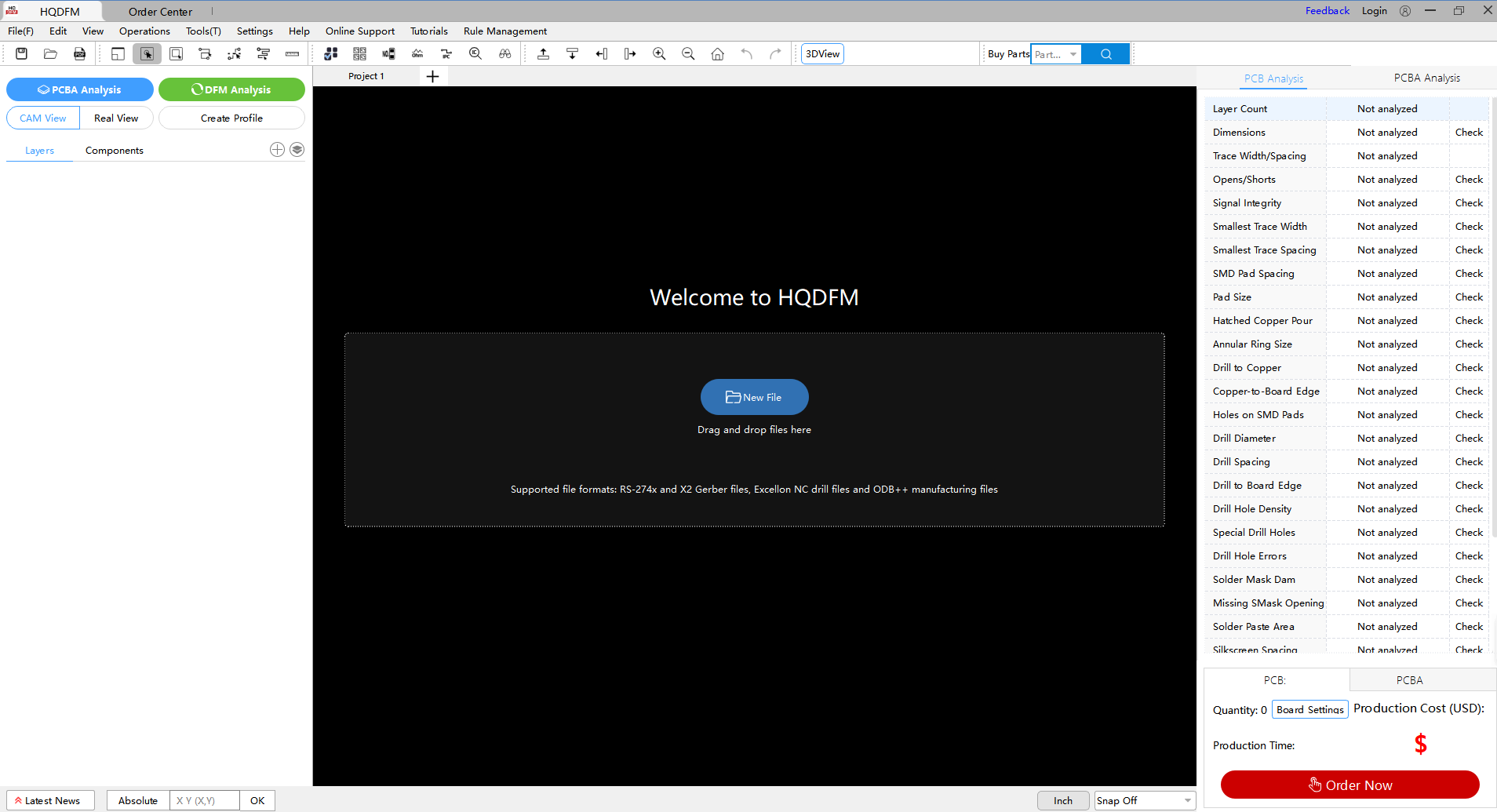
Get Free DFM Software, Review Your Designs Now
What is HQDFM?
HQDFM is an intelligent, data-driven Design for Manufacturing (DFM) review system developed by NextPCB to eliminate the gap between complex PCB designs and manufacturing reality.
Why choose HQDFM as your partner?
While generic DFM tools rely on outdated, static rules, HQDFM leverages 15+ years of fabrication expertise and millions of production data points to provide dynamic validation. By integrating advanced algorithms with NextPCB's cutting-edge process capabilities, HQDFM ensures:
- Zero-Friction Transitions: Moving from design to fabrication without manual bottlenecks.
- Proactive Risk Mitigation: Identifying high-density and high-speed design flaws before they cause costly reworks.
- High-Precision Reliability: Aligning your innovatio
Breaking Through the Triple Barrier of Generic DFM
Due to their universality, international generic DFM tools are inherently incapable of delving into the specific, unique details of an individual factory's processes. HQDFM is engineered precisely to shatter this barrier.
1. Deep Customization: Challenging the "Tolerance Limits" of Our Process
Generic DFM tools provide rules based on industry averages, which are often conservative and overly cautious.
- HQDFM's Core Advantage: The system is embedded with NextPCB factory's real-time, quantifiable tolerance data and specialized equipment capabilities. For critical parameters like drill-to-pad registration accuracy or minimum soldermask dam width on high-frequency boards, HQDFM's tolerance analysis is finer and more aggressive than general standards.
- Your Gain: Utilizing this precise data, you can confidently leverage NextPCB's maximum manufacturing allowance, pushing your routing density to 3/3mil or higher, resulting in smaller board sizes and superior electrical performance without compromising yield.
2. Data-Driven: Establishing an "Ever-Evolving" Intelligent Rulebase
Traditional DFM tools have static rule libraries with slow update cycles, unable to keep pace with the rapid evolution of factory processes.
- HQDFM's Closed-Loop Optimization: Yield data, critical defect analysis, and process adjustment parameters from every production batch on the NextPCB line are fed back in real-time to the HQDFM rule engine via data pipelines.
- Your Gain: The HQDFM rules you utilize are always based on NextPCB's current, optimized, and most stable production parameters. This creates a "living" DFM solution that continuously learns and evolves, ensuring your design success rate significantly surpasses that achieved using static, third-party software.
3. Performance Validation: A Leap from Manufacturability to Electrical Integrity
For high-speed digital circuits and RF designs, simply passing a manufacturability check is insufficient.
- HQDFM's Advanced Analysis: We deeply integrate DFM checks with critical electrical parameter estimation. HQDFM provides automated verification of differential pair impedance and single-ended impedance, along with power plane clearance compliance analysis based on your chosen stack-up and materials.
- Your Gain: Identify and correct potential Signal Integrity (SI) and Power Integrity (PI) risks early in the design phase, avoiding costly electrical failures during the testing stage. This dramatically shortens your debugging and validation cycle.
How HQDFM Reshapes Your Workflow
| Traditional Workflow (Generic DFM) |
HQDFM Intelligent Workflow (NextPCB) |
Value Proposition |
| Design Stage |
Design Stage |
Zero-Wait, Instant Feedback |
| Run check using a generic tool, manually export report. |
Real-time, synchronized checking with NextPCB's proprietary rules. |
Immediate detection and correction of flaws; rework rate reduced by 40%. |
| Ordering Stage |
Ordering Stage |
Frictionless Integration, Direct-to-Fab |
| Upload files, wait for manual secondary review by factory engineers. |
DFM validation automatically places your design on a "Green Channel" for immediate scheduling. |
Eliminates 2 ~ 8 hours of manual approval waiting, enabling lightning-fast prototyping. |
| Production Stage |
Production Stage |
High Visibility, Full Control |
| Passive waiting, relying on customer service updates. |
Web-based production tracking provided, integrated with HQDFM rules. |
Mitigates anxiety, provides full progress oversight, and ensures highly predictable delivery times. |
HQDFM Comprehensive Feature
HQDFM is a PCB manufacturability analysis software that helps you identify and correct design flaws early in the product manufacturing process, reducing production costs and improving production efficiency. The table below summarizes its core functions:
| Feature Category |
Sub-Feature / Check Item |
Professional Function Description |
| I. Bare PCB DFM Analysis |
Trace/Conductor Analysis |
Checks minimum Trace Width / Spacing, Pad size, SMD issues, and Shorts / Opens manufacturing risks. |
| Drill Hole Analysis |
Analyzes Drill Hole Diameter, Hole-to-Hole Spacing, Hole-to-Edge Clearance, and identifies Missing/Redundant Holes. |
| Solder Mask Analysis |
Identifies Solder Mask Bridge loss risks and issues like Solder Mask Dam reduction that can lead to soldering defects. |
| Silkscreen Analysis |
Inspects silkscreen clearance to prevent it from overlaying pads (Solder Mask Openings) or resulting in Character Residue. |
| PCB Manufacturing Check |
Provides a one-click check for 120+ critical manufacturing hazards for bare board production. |
| Solderability Analysis |
Performs in-depth Solderability Check on PCB footprints to prevent assembly failures. |
| Open/Short Localization |
Production-oriented Open/Short exclusion for precise fault location and rapid troubleshooting. |
| II. PCBA Assembly & DFA |
Assembly Analysis (DFA) |
Simulates PCBA Assembly results, analyzing Component Placement and Soldering Issues (Bridging, Tombstoning). |
| SMT Assembly Check |
Provides a one-click check for 1000+ SMT assembly and process hazards. |
| Visual Soldering Analysis |
Offers visual analysis of the soldering process (e.g., Wave Soldering Clearance). |
| III. File & Data Management |
Format Parsing/Support |
Capable of parsing mainstream PCB design formats, including Allegro, Altium, PADS, Gerber (RS-274X, X2), and ODB++. |
| File Export/Output |
One-click export of production standard files: Gerber, BOM (Bill of Materials), Centroid Data (Pick-and-Place File), Assembly Drawings, PDF, and ODB++. |
| File Comparison |
Supports Precise Differential Comparison of BOM, PCB, and Gerber files. |
| Coordinate Extraction |
Extracts Component Centroid Coordinates from Gerber files. |
| IV. Design Optimization & Utilities |
BOM Analysis |
One-click BOM analysis to identify material redundancy, quantity errors, and perform In-depth BOM Screening. |
| Impedance Calculation |
Automatic Stack-up Impedance calculation and Reverse Impedance solving, replacing professional tools like SI9000. |
| Panelization Tool |
Intelligent recommendation for optimal Panelization Schemes, one-click generation of Panel Files. |
| Component Library |
Covers 8 Million+ electronic components.(Parts mainly from Digikey, Mouser, Hqonline, etc.) |
| 3D Visualization |
Provides 1:1 Scale 3D View functionality for physical simulation and inspection. |
| Analysis Reporting |
Generates clear, detailed DFM/DFA analysis reports with Customizable Output Fields. |
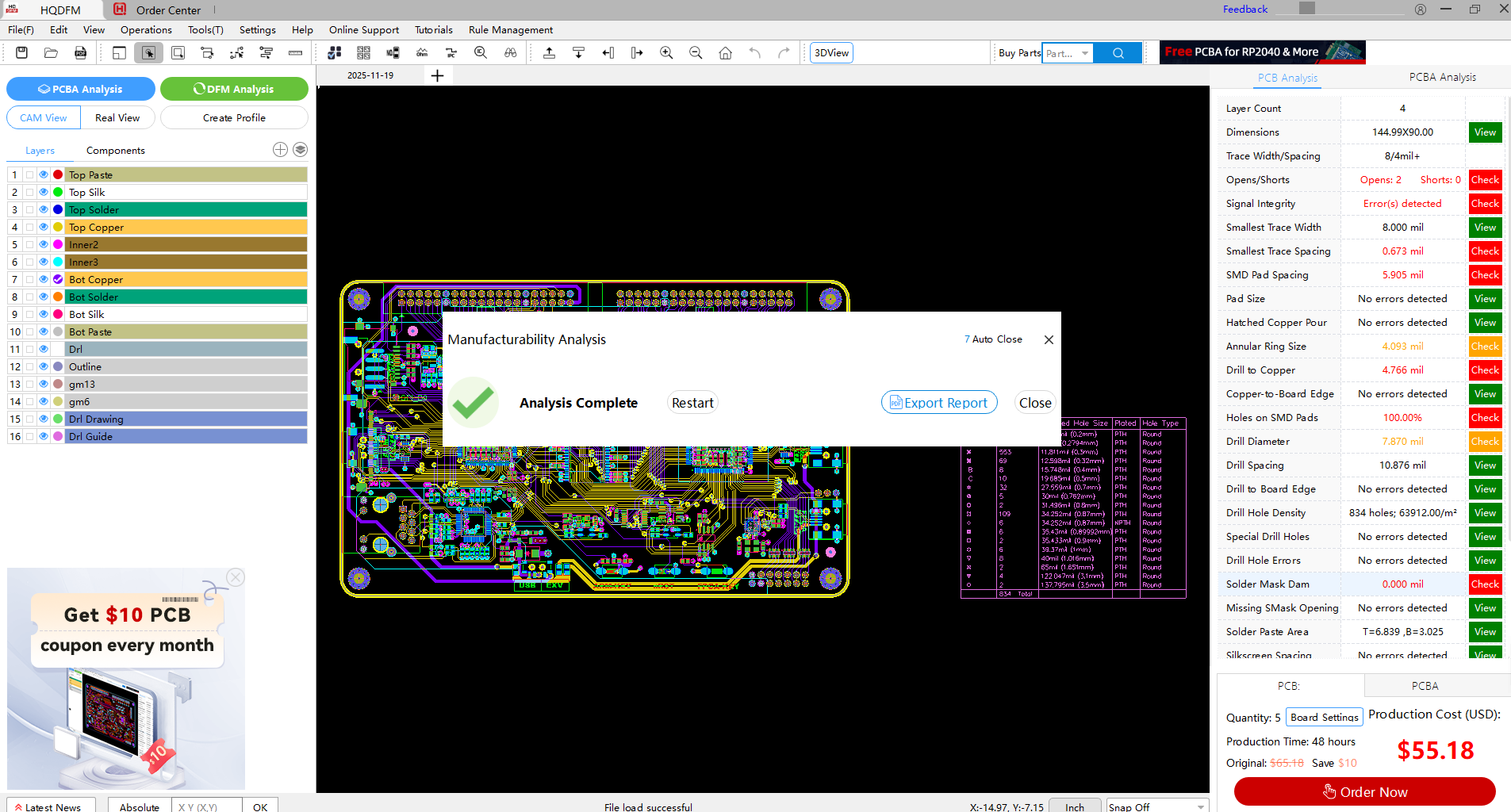
HQDFM DFM Analysis Function
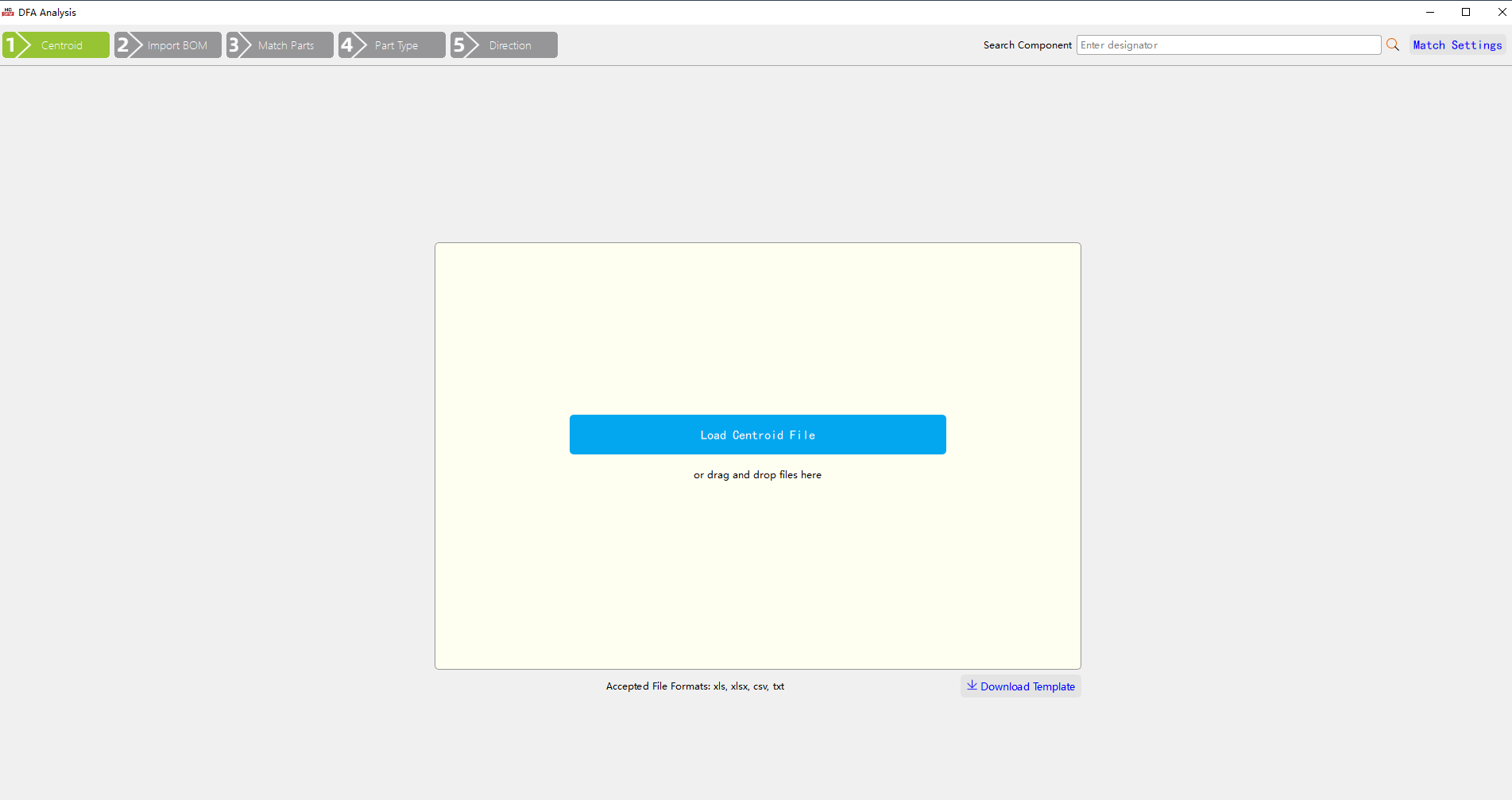
HQDFM DFA Analysis Function
Conclusion: Choose NextPCB, Choose the Future of Intelligent Fabrication
HQDFM is the embodiment of NextPCB's service commitment, digitally and intelligently delivering our powerful manufacturing capabilities directly into your hands.
Abandon the limitations of conservative, generic standards. Embrace the innovation opportunities brought forth by NextPCB's boundary-pushing process capabilities. Use HQDFM today to ensure your next design project achieves market success with maximum speed, highest yield, and unparalleled reliability.
Click Here to Experience the Power of HQDFM for Free and Define the New Standard for PCB Manufacturing with Us!
Frequently Asked Questions
Why should I choose HQDFM over generic DFM tools?
Unlike generic tools that rely on static, outdated rules, HQDFM is an intelligent review system powered by 15+ years of NextPCB manufacturing expertise. It integrates millions of real-world production data points and advanced algorithms to provide dynamic validation.
How does HQDFM reduce PCB rework and production delays?
HQDFM identifies potential manufacturing defects at the design stage—before they reach the factory floor. By aligning your CAD data with NextPCB’s cutting-edge process capabilities, it eliminates "friction" between design and fabrication, preventing costly re-spins.
What makes HQDFM a "Smart Manufacturing Partner"?
HQDFM is more than software; it is a data-driven intelligent platform. It uses sophisticated algorithms to analyze complex routing and component placement, ensuring every design is optimized for high reliability and maximum yield.



 NextPCB Capabilities
 PCB Assembly
 Layer Buildup
 SMD-Stencils
 PCB Design-Aid & Layout
 Mechanics
 Quality
 Drills & Throughplating
 Factory & Certificate






