NextPCB Capabilities
Printed Circuit Boards
NextPCB Capabilities
Printed Circuit Boards
 PCB Assembly
 Layer Buildup
 SMD-Stencils
 PCB Design-Aid & Layout
 Mechanics
 Quality
 Drills & Throughplating
 Factory & Certificate
 PCB Assembly Factory Show
Certificate
PCB Assembly Factory Show
Certificate

Support Team
Feedback:
support@nextpcb.com


Need to browse publicly shared projects but don’t want to go through the hassle of downloading them? Don’t have KiCad installed but frequently need to review KiCad designs? Or maybe you just need to share and open designs on the go. That’s where online KiCad viewers come in. Online KiCad viewers allow users to open, share and even annotate KiCad designs with just a web browser; no installation needed.
Thanks to the EDA (Electronic Design Automation) tool's open-source nature, the KiCad project file formats are open for all to see, allowing third-party developers to create handy tools compatible with KiCad software and files. Now there are numerous KiCad viewers to choose from, each with various features for a variety of applications and needs.
We’ve gathered the best KiCad viewers we could find and compiled their advantages and disadvantages based on select criteria, including file support, ease of use and additional features. The KiCad viewers we have included here must be free without the need to sign up, be web-browser-based, and allow interactive viewing of KiCad files and/or exports as easily as possible. We also won’t be judging mobile compatibility since we have yet to see a decent example. Now let's dig in.
KiCanvas is a web-based KiCad project viewer for viewing KiCad files shared on GitHub without having to download them. Downloading GitHub repositories can be notoriously finicky for casual users, so having a viewer that directly opens up project files from a link is incredibly useful. From the main page, just paste the .pro_kicad file GitHub link to open it. KiCanvas also supports direct drag-and-drop of KiCad files from a local source.
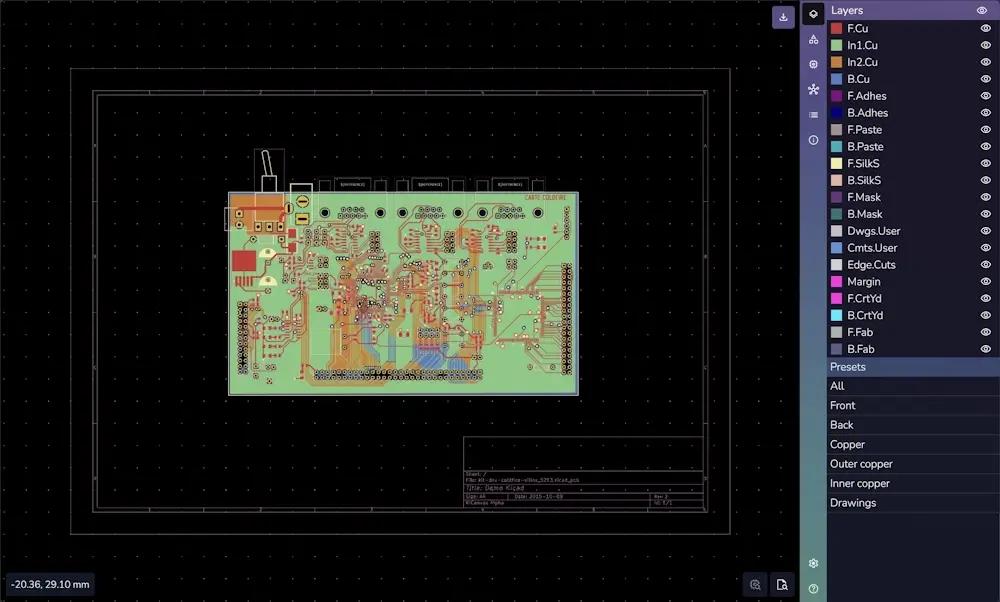
Developed by software engineer Thea Flowers, the project was built for the community and maintains the same free and open-source spirit that created it. The interface is beautiful and pleasing to the eye, and the response is fluid. KiCad users will recognize the familiar PCB viewer layout with layers on the right and preset layer combinations on the bottom. Each individual layer can be toggled on and off, and transparency levels can be changed for various KiCad PCB objects such as traces, vias, copper pours and even page elements.
KiCanvas also supports interactive viewing; click an element and view its properties, or find individual nets and footprints easily with the search function.
Unfortunately, development by the original developer appears to have stalled. The page states KiCanvas is still at the alpha phase, currently only fully supports KiCad 6 files, and the embedding API is incomplete. Project navigation only works with GitHub links where all the KiCad files are located in the same directory. With local files, you have to highlight and drag over all the files together to have them appear together in the project tab.
Chrome, Firefox, Safari
Viewer: https://kicanvas.org/
Github repository: https://github.com/theacodes/kicanvas
The E-Cad viewer is an extension of KiCanvas by NextPCB (HQ Electronics), a PCB manufacturer and assembly house and platinum KiCad sponsor. In addition to improving the basic functions of KiCanvas, HQ Electronic’s development team had much bigger ambitions and used their expertise in manufacturing and software development to add a 3D file viewer, BOM file generation, support for Altium designs, and support for KiCad file versions up to the current KiCad release (KiCad 9 as of the time of writing) as well as many other improvements and additions.
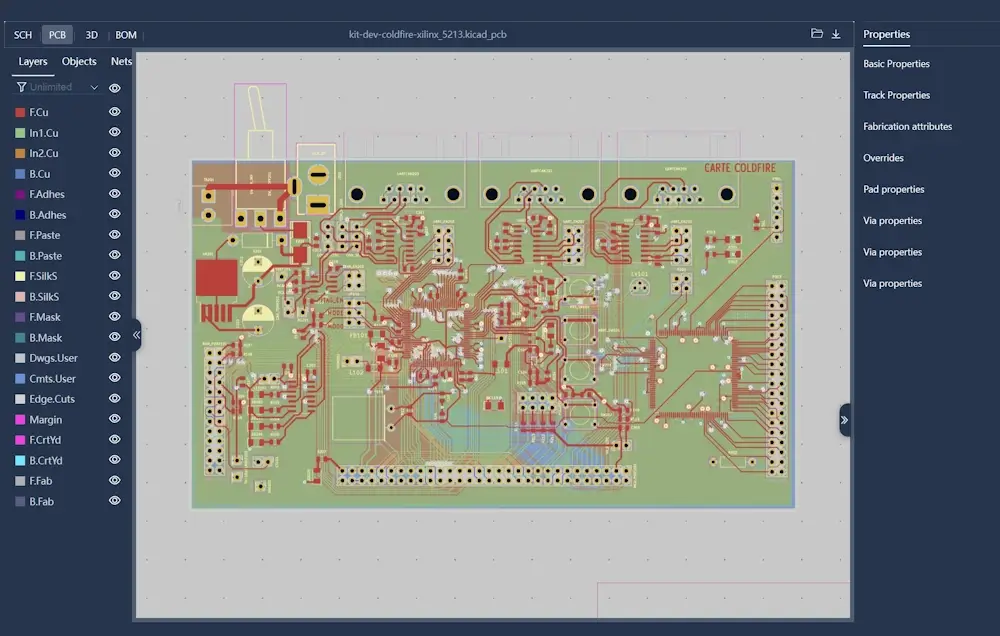
What HQ Electronic’s E-Cad viewer is missing is international support. Some parts of the viewer are in Chinese, and since it's currently based on a Chinese domain, some may have trouble opening the app. There are plans to migrate to a global domain to improve speeds for international users and all source code is available on GitHub. The 3D viewer is also very basic, with the pads and traces for KiCad designs not showing up on the PCB. 3D models for components are rendered quite well, though.
Chrome, Firefox, Safari, Edge
Viewer: https://www.eda.cn/ecadViewer/
GitHub Repository: https://github.com/Huaqiu-Electronics/ecad-viewer
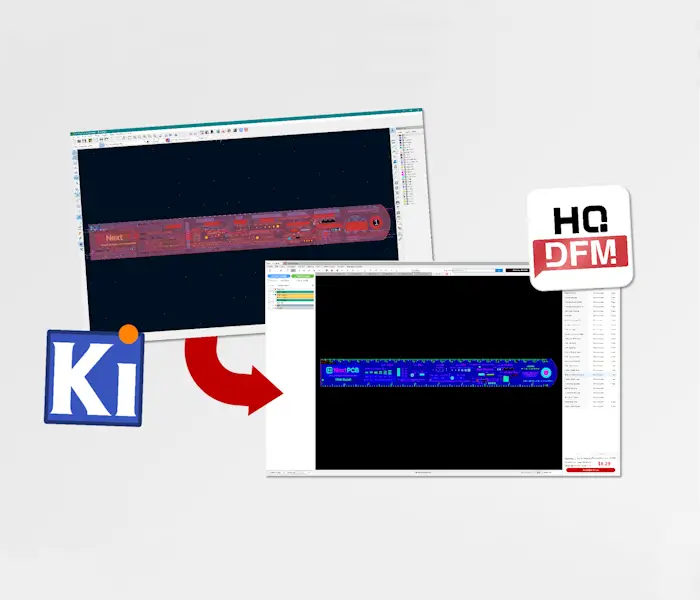
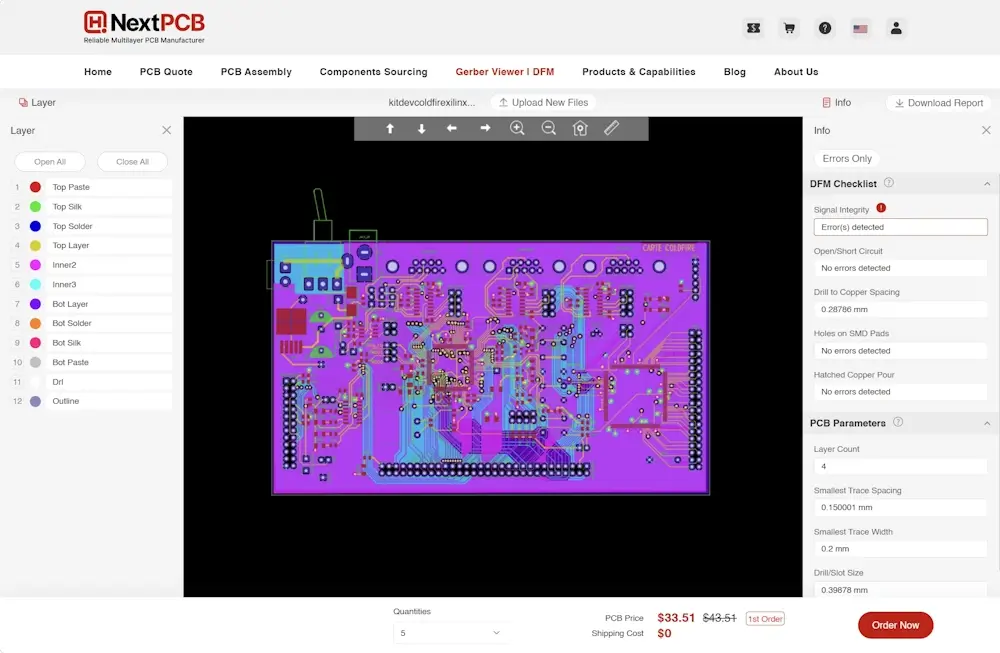
Also by NextPCB, the web-based version of HQDFM supports KiCad PCB files and adds DFM analysis capabilities. Strictly a Gerber viewer, it can theoretically open Gerber RS-274x and X2 files from any PCB design software. If you need to view the files from a manufacturing perspective, viewing the Gerber files can be more appropriate. You can also see a price estimate based on parameters extracted from the design, and if you need more manufacturing tools, there is also a free desktop version with much more functionality.
Chrome, Firefox, Safari, Edge, Opera
Viewer: https://www.nextpcb.com/free-online-gerber-viewer.html
Despite being a direct competitor of KiCad, Altium’s online PCB viewer, Altium 365 Viewer, also supports native KiCad formats, though support is somewhat limited.
Most of the interactivity features mentioned on the webpage apply to Altium design files, and in our quick test, Altium’s viewer failed to correctly render KiCad 9.0 files correctly until we uploaded them to the Personal Space, which requires an Altium account. Uploading the design to the Personal Space offers more functionality, including more detailed properties information and net highlighting. Since the files have to be uploaded to Altium's server, the opening process is much slower and may depend on your internet speed.
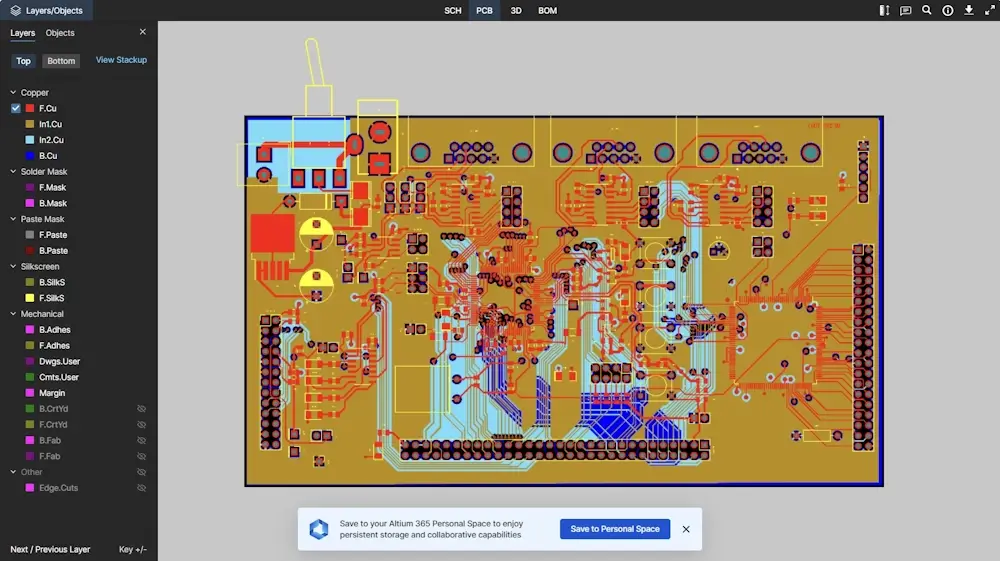
Altium Viewer has the option of adding comments and sharing the uploaded design via a link, as well as generating embedded links, but links expire after 48 hours. More permanent share links are possible after uploading the design to the Personal Space. We couldn’t find the permanent embed link for KiCad files though. Unlike HQ Electronics' E-Cad viewer, Altium's 3D view appears to be limited to the bare PCB.
Being the competition, there is little incentive for Altium to fully support KiCad files or add additional features, so both Altium and the E-Cad viewer are good options if you need to view designs from various EDA tools.
Chrome, Edge, Chromium, Firefox, Safari, Opera, Android browser
Viewer: https://www.altium.com/viewer/
Just need a tool to view KiCad files on GitHub? This simple, no-fuss tool from cho45 does the job and supports opening multiple files on the same page. There is also a KiCad library viewer.
Github Repository: https://cho45.stfuawsc.com/kicad-utils/static/viewer.html
Whatever your needs, be it quick online viewing, in-depth analysis, embedding, or passing a design onto someone without KiCad installed, there are many options to choose from. We'll keep the list updated as more viewers develop and improve their offerings.


NextPCB provides PCB manufacturing and assembly services, focusing on reliability without breaking the bank. With 5 factories in China and over a decade of quick turnaround electronics manufacturing from prototype to mass production, NextPCB serves over 160 countries around the world, pairing dependable electronics hardware with exceptional service.
As a Platinum KiCad sponsor and long-term supporter of the KiCad open-source ecosystem, NextPCB's contribution spans developer funding, and hosting KiCon Asia — the largest KiCad‑focused event in the region. This KiCad Hub brings together all of our tutorials, tools, projects, and community contributions into one place, making it easier for designers of all levels to learn, explore, and build with KiCad.

Still, need help? Contact Us: support@nextpcb.com
Need a PCB or PCBA quote? Quote now