
 NextPCB Capabilities
Printed Circuit Boards
NextPCB Capabilities
Printed Circuit Boards
 PCB Assembly
 Layer Buildup
 SMD-Stencils
 PCB Design-Aid & Layout
 Mechanics
 Quality
 Drills & Throughplating
 Factory & Certificate
 PCB Assembly Factory Show
Certificate
PCB Assembly Factory Show
Certificate

Support Team
Feedback:
support@nextpcb.com


In the rapidly evolving landscape of 2026, Single Board Computers (SBCs) have moved beyond hobbyist gadgets to become the powerhouse of Industrial IoT (IIoT) and Edge Computing. Whether you are building a smart factory sensor or a home automation hub, understanding the architecture of an SBC is crucial.
But what makes an SBC different from a standard desktop? In this guide, we break down the core technology, its advantages over traditional PCs, and how to choose the right board for your deployment.
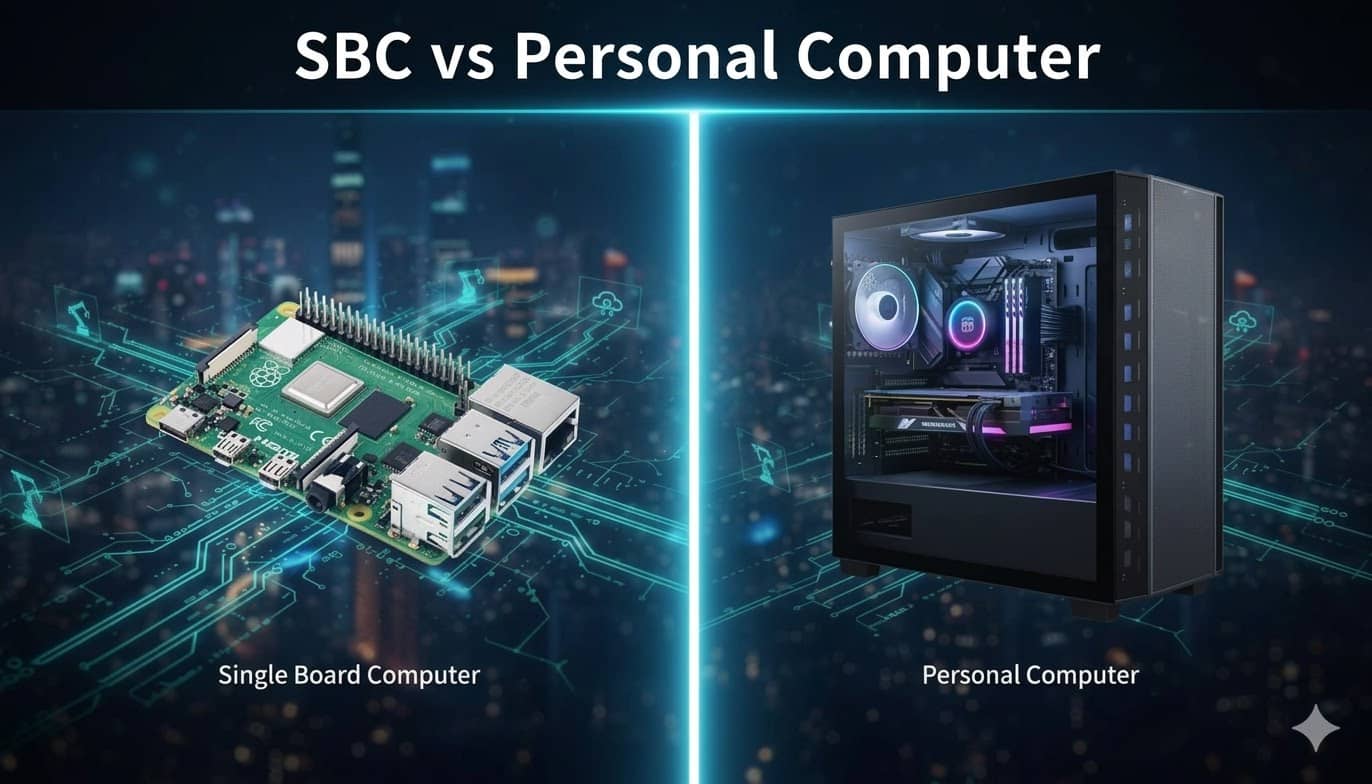
A Single Board Computer (SBC) is a fully functional computer where the microprocessor, memory, storage controllers, and I/O ports are all integrated onto a single Printed Circuit Board (PCB).
Unlike modular systems, most SBCs utilize a System on a Chip (SoC) architecture. This means the CPU and GPU are bundled together, significantly reducing size and power consumption.
The most famous example of an SBC is arguably the Raspberry Pi, which, thanks to its low price point and powerful capabilities, has completely revolutionized the maker community and the embedded systems field.
While an SBC possesses all the features of a complete computer, its design philosophy and application scenarios are fundamentally different from those of the Personal Computers (PCs) we use daily.
Difference in Design Purpose: PCs are designed for general-purpose computing, striving for the highest peak performance and user upgradeability. SBCs, conversely, are focused on specific, often embedded tasks that have strict requirements for size, power consumption, and cost (e.g., data acquisition and real-time control).
Hardware Integration vs. Modularity: The main components of a PC (such as the CPU, RAM, graphics card, and hard drive) are modular, allowing users to freely replace and upgrade them. SBCs, aiming for miniaturization and low cost, have components that are almost entirely highly integrated and soldered onto the board, lacking user-replaceable parts.
Power Efficiency and Performance Focus: Most SBCs utilize the ARM architecture, emphasizing operation at extremely low power consumption, making them ideal for 24/7 edge devices. PCs mostly use the x86 architecture, which consumes more power but provides greater instantaneous processing power.
| Feature | Single Board Computer (SBC) | Personal Computer (PC) |
| Core Design Purpose | Embedded, dedicated, ultra-efficient, control tasks | General-purpose, top performance, user customization |
| Size and Form Factor | Super small (often credit card size) | Large tower case or full laptop |
| Power Consumption | Extremely low (just a few watts) | High (dozens to hundreds of watts) |
| Component Integration | Highly integrated, parts are generally soldered and fixed | Modular, parts are easily replaceable and upgradeable |
| Primary Operating System | Linux (specialized versions), RTOS | Windows, macOS, Desktop Linux |
| Typical Application | IoT gateways, Edge AI, quick prototyping, custom controls | Gaming, video editing, everyday work, high-volume processing |
When selecting an SBC, the most fundamental distinction lies in the processor architecture it uses. Mainstream Single Board Computers are primarily categorized into two major types: ARM and x86.
Characteristics: ARM is renowned for its Reduced Instruction Set Computer (RISC) design, which emphasizes power efficiency. They feature extremely low power consumption, making them highly suitable for long-running, battery-powered IoT devices and thermal-sensitive environments.
Applicable Scenarios: Embedded systems, sensor gateways, mobile applications, and lightweight tasks in edge computing.
Characteristics: These use Complex Instruction Set Computer (CISC) architecture, typically manufactured by Intel or AMD. They offer more powerful single-core performance and native compatibility with traditional Windows applications.
Applicable Scenarios: Running standard PC software, high-performance data processing, and industrial control and automation systems.
Note: Furthermore, with the rise of AI applications, many modern SBCs are integrating specialized Neural Processing Units (NPUs) or Tensor Processing Units (TPUs), significantly boosting their capability for Machine Learning inference at the edge.
SBCs stand out in numerous embedded applications, primarily due to the following core advantages:
Due to simplified design and mass production, the price of an SBC is often significantly lower than traditional PCs or industrial computers, making them the ideal choice for large-scale deployment of IoT sensors or smart devices.
SBCs are designed to be extremely small, allowing for easy integration into space-constrained devices such as drones, wearables, smart home hubs, or compact industrial control cabinets.
Most SBCs use low-power ARM-architecture processors, requiring minimal electricity to run. This is crucial for battery-powered applications and systems requiring 24/7 operation (e.g., edge computing nodes).
Beyond standard USB, HDMI, and Ethernet ports, many SBCs are equipped with GPIO (General Purpose Input/Output) pins. These pins allow developers to directly connect and control external sensors, relays, or motors, making them the perfect platform for prototyping and custom hardware.
SBCs provide a plug-and-play hardware platform that supports various operating systems (like Linux distributions). This allows developers to dedicate more time and resources to value-added software and application development, rather than low-level hardware design.
Single Board Computers play an indispensable role in the modern technology ecosystem, particularly in the following three key areas:
High-performance SBCs (such as the NVIDIA Jetson series) equipped with dedicated AI accelerators are used for real-time, low-latency visual analysis at the edge.
Example: In smart factories, SBCs connect to cameras to instantly check for product defects on the production line; in traffic monitoring, they are used for license plate recognition or analyzing traffic flow density.
In harsh industrial environments, rugged and durable SBCs function as IIoT gateways, serving as data aggregation and protocol conversion points.
SBCs like the Raspberry Pi are the platform of choice for home automation enthusiasts.
While the potential of SBCs is immense, they still face some challenges in widespread application, even as the technology continues to evolve:
Challenges: Heat Dissipation and Power Management
Due to the pursuit of extreme compactness, many high-performance SBCs face severe thermal issues (thermal throttling) under heavy load, limiting their sustained computing capability. Additionally, a stable power supply is critical for embedded applications.
Future Outlook: Modularity and Heterogeneous Computing
Future SBCs will lean towards a modular design, allowing users to replace or upgrade processors, memory, and I/O interfaces to adapt to evolving needs. Concurrently, heterogeneous computing tailored for AI tasks (such as the combination of CPU + GPU + NPU) will become mainstream, further strengthening edge computing performance.
Use these points to figure out which SBC is the perfect fit for your project:
| Consideration | What It Means for You |
| Processor Performance | How complex are your apps? For AI or video, look for multi-core chips with dedicated accelerators. |
| RAM Size | How much data do you need to handle at once? IoT usually needs 1GB; Edge Computing or desktop use needs 4GB+. |
| I/O Connectivity | Does it have the right physical ports (GPIO, PCIe, specific Ethernet ports)? |
| Operating System Support | Most support Linux, but industrial projects might require Windows IoT. |
| Community and Ecosystem | A huge community (like Raspberry Pi's) means more tutorials, support, and available accessories. |
The Single Board Computer is far more than a fun gadget, it's the engine of modern IoT and the key to efficient Edge Computing. By understanding the difference between ARM and x86, and how SBCs contrast with your traditional desktop, you can pick the best tool for the job. Go ahead—your next SBC project is waiting!
1. Can a Single Board Computer replace a traditional desktop PC?
Yes and no. For basic tasks like web browsing, document editing, and light coding, modern SBCs (like the Raspberry Pi 5 or higher) can serve as a functional desktop. However, for resource-intensive tasks like 4K video editing, high-end gaming, or heavy multitasking, a traditional PC is still superior due to its superior thermal management and modular RAM/GPU.
2. What are the main advantages of using an SBC in IoT projects?
SBCs are preferred for Internet of Things (IoT) applications because of their low power consumption, compact size, and GPIO (General Purpose Input/Output) capabilities. Unlike PCs, SBCs can interface directly with physical sensors and actuators, making them ideal for edge computing and automation.
3. What operating systems do SBCs run?
Most SBCs run on Linux distributions (such as Raspberry Pi OS, Ubuntu, or Debian). However, some higher-end x86-based SBCs can run Windows 11 or Android, depending on the processor architecture (ARM vs. x86).
4. Are SBCs durable enough for industrial use?
Yes, there are specific industrial-grade SBCs designed for harsh environments. These boards often feature fanless cooling, wide operating temperature ranges, and reinforced components to withstand vibrations and humidity, which standard consumer PCs cannot handle.
5. Why are SBCs often called "System on a Chip" (SoC) devices?
The heart of an SBC is the SoC, which integrates the CPU, GPU, memory, and I/O controllers into a single integrated circuit. This integration is what allows the computer to be reduced to the size of a credit card while maintaining high energy efficiency.
6. How much power does a typical SBC consume?
A typical SBC consumes between 3W to 15W under load, whereas a standard desktop PC might consume anywhere from 60W to over 500W. This makes SBCs the most cost-effective choice for 24/7 operations like home servers or security monitors.
Still, need help? Contact Us: support@nextpcb.com
Need a PCB or PCBA quote? Quote now





